> ## Documentation Index
> Fetch the complete documentation index at: https://www.referly.so/docs/llms.txt
> Use this file to discover all available pages before exploring further.
# Plans and features
> Compare Referly plans and features: Indie, Startup, Business, Agency, and Enterprise pricing, affiliate and referral limits, team seats, free trial limits, and which features unlock on each plan.
Your plan decides how much you can track, how many people you can work with, and which features are switched on. This page explains what each plan includes, what the limits actually count, and how to work out which one fits you.
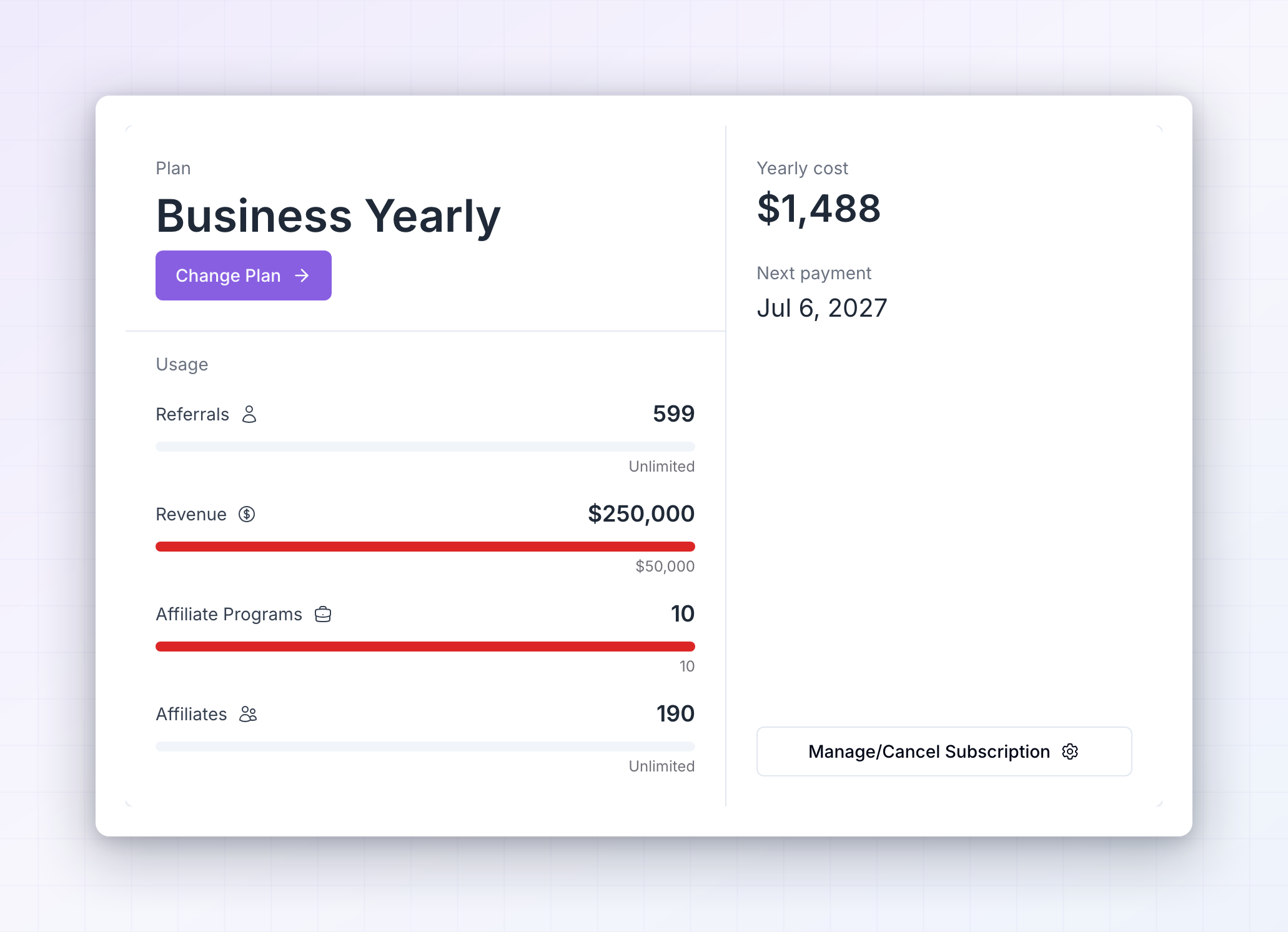
To see the plan you're on right now, open **Settings** from the left sidebar, go to **Billing**, then select **Subscription**.
## The plans
Referly has four plans. Prices are in US dollars, and the yearly figures below are the effective monthly cost when you pay for a year up front.
| | Indie | Startup | Business | Agency |
| -------------------------- | ------------ | ------------ | ------------- | ------------- |
| Monthly | \$29 | \$75 | \$149 | \$299 |
| Yearly | \$24 / month | \$62 / month | \$124 / month | \$249 / month |
| Affiliate programs | 1 | 2 | 10 | 15 |
| Affiliates | 150 | 400 | Unlimited | Unlimited |
| Referrals per month | 200 | 700 | Unlimited | Unlimited |
| Referred revenue per month | \$5,000 | \$15,000 | \$50,000 | Unlimited |
| Team seats | 1 | 1 | 5 | Unlimited |
| Processing fee | None | None | None | 5% |
Every plan includes referral link tracking, fraud protection, refund handling, recurring commissions, a branded affiliate portal in your affiliates' own language, real-time currency conversion, data import, all integrations, email support, and access to the Discord community.
## What the limits count
Five numbers are tracked against your plan, and you can see all of them on the **Subscription** screen under **Usage**.
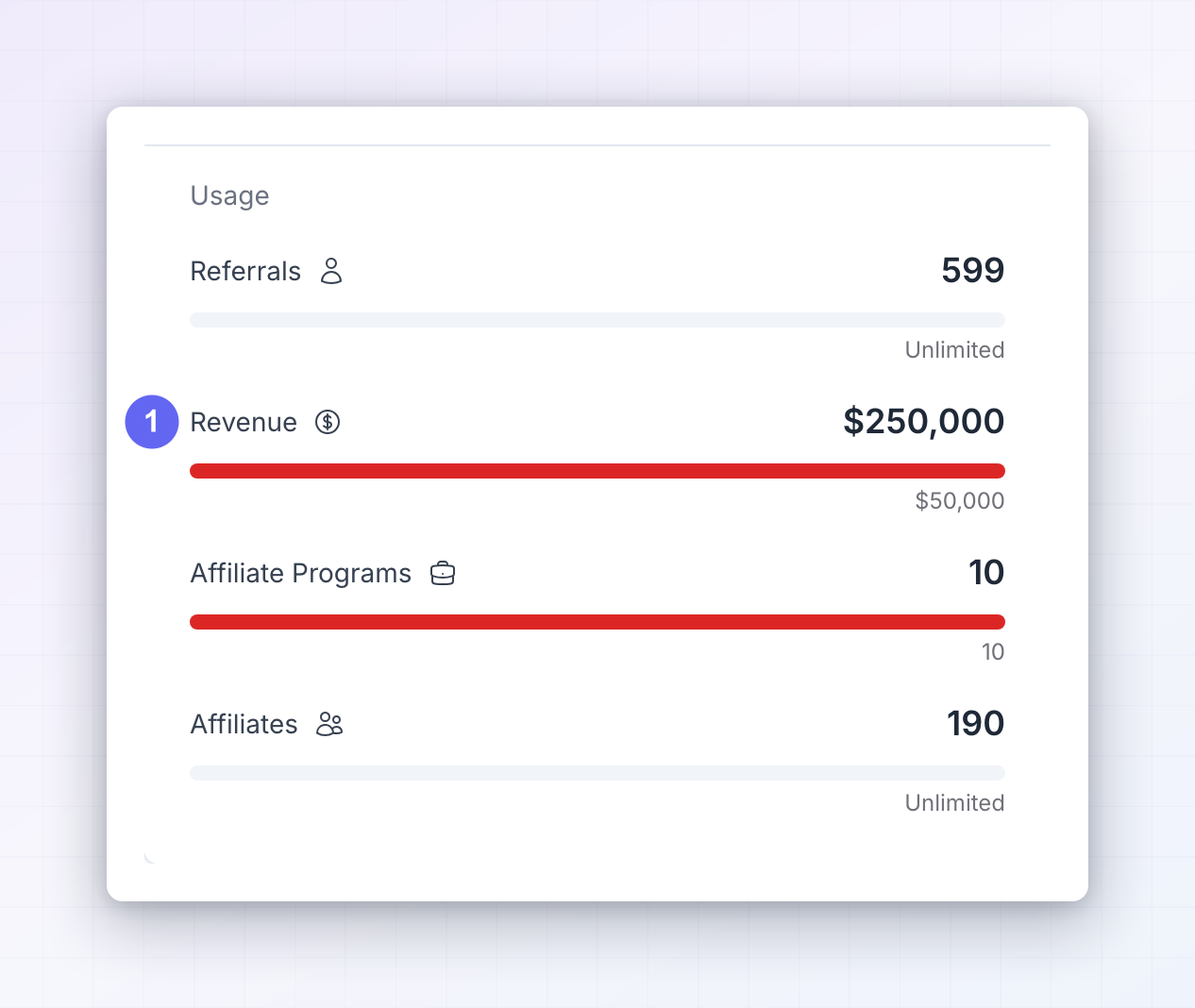
* **Referrals** — the number of referred customers recorded in the current month. It resets at the start of each billing month.
* **Revenue** — the total value of referred sales recorded in the current month. This is your customers' spend, not your commission bill, and it also resets each month.
* **Affiliates** — how many affiliates exist in your program. This is a running total, not a monthly one.
* **Affiliate programs** — how many separate programs you can run. Most businesses need one; you'd add more for a second brand or product line.
* **Team seats** — how many people you can [invite into your dashboard](/docs/help-center/settings/team/invitations).
A bar sits under each number so you can see how close you are. Where a plan says "unlimited", nothing is counted against you.
## What each plan adds
Moving up a plan unlocks limits and features together. Here's what appears at each step.
### Indie
The starting point for a single program. You get referral link tracking, manual referral tracking, [custom cookie duration](/docs/help-center/settings/program/tracking-methods), refund handling, recurring commissions, and a branded affiliate portal you can translate into other languages.
Payouts are approved and sent by hand on this plan, and coupon tracking isn't included.
### Startup
Adds the tools most programs need once affiliates start selling: [automated payouts](/docs/help-center/manage/payouts/overview), [coupon and promo code tracking](/docs/help-center/settings/program/tracking-methods) including automatic coupon generation, [product-based commissions](/docs/help-center/getting-started/commissions/overview), advanced commission rules, [commission plans](/docs/help-center/getting-started/commissions/overview), [marketing assets](/docs/help-center/engage/assets/overview), custom questions on your affiliate sign-up form, and the "Contact me" widget.
### Business
The first plan built for teams and for connecting Referly to your own systems. On top of everything in Startup you get:
* [API access](/docs/help-center/billing/api-access) and [webhooks](/docs/help-center/settings/advanced/webhooks)
* [Custom domain](/docs/help-center/settings/portal/custom-domain) for your affiliate portal
* [Custom email builder](/docs/help-center/engage/emails/overview) and your own email sending domain
* Referly branding removed from the affiliate portal
* [Individual affiliate commissions](/docs/help-center/manage/affiliates/change-commission-plan) and [affiliate milestones](/docs/help-center/gamify/overview)
* [Multi-level commissions](/docs/help-center/settings/program/multi-level-commissions)
* EU-compliant [invoice generation](/docs/help-center/manage/payouts/tax-and-invoices) and a custom terms of service
* A custom bank details form for affiliates
* Free developer and integration support, which costs extra on the lower plans
* 5 team seats, unlimited affiliates, and unlimited referrals
### Agency
Everything in Business, plus what you need to run programs on behalf of clients: 15 programs, unlimited referred revenue, unlimited team seats, your own logo and domain on the admin dashboard, [custom pricing plans for clients](/docs/help-center/agencies/client-programs), and the ability to [bill and invoice those clients](/docs/help-center/agencies/billing). Agency plans also include 150 marketplace free trial days.
Agency is the one plan with a processing fee: 5% on payments handled through it.
If your program is managed by an agency, your **Subscription** screen shows a notice pointing to the agency account instead, and a **Go to Agency Account Billing** button. Billing for the program lives there. See [for agencies](/docs/help-center/agencies/overview).
### Enterprise
Enterprise is a yearly plan at \$4,788 per year with every Business feature, higher limits, and the [Engagement and Gamification add-ons](/docs/help-center/billing/add-ons) included. It appears at the bottom of the plan chooser if it's been made available to your account. If you don't see it and you need it, contact support.
## Monthly or yearly billing
The plan chooser has a **Monthly** and a **Yearly** switch above the plan cards. Yearly is charged once for twelve months and works out cheaper per month on every plan. Yearly plans also come with marketplace free trial days — 30 on Indie, 60 on Startup, 90 on Business, and 150 on Agency.
You can move between monthly and yearly at any time by picking the other option and choosing your plan again.
## During your free trial
New accounts get a 14-day free trial with no card required. While the trial runs, your plan name carries a **Free Trial** badge and the **Usage** section shows a **Trial Limits Active** pill.
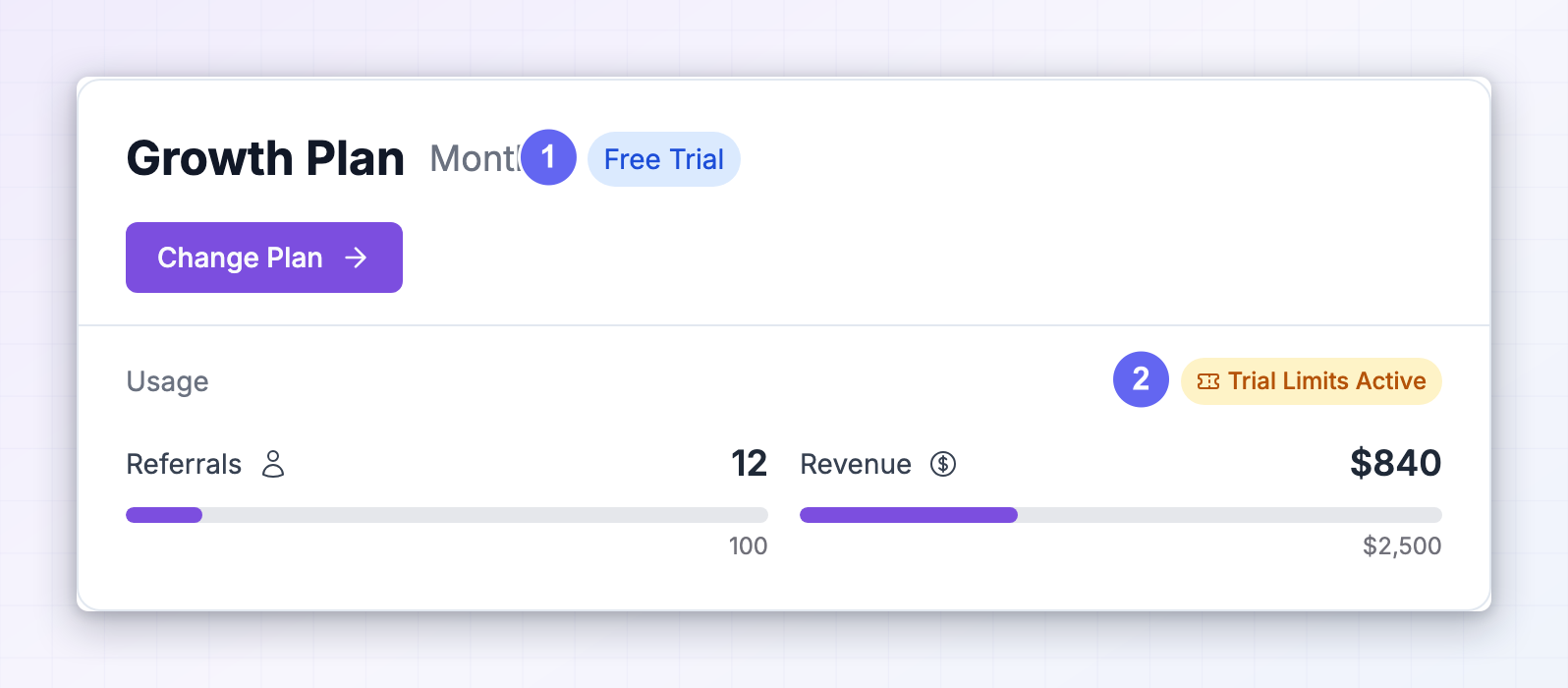
Trial limits are deliberately small so you can test the whole flow without setting up a full program:
| Limit | During the trial |
| ------------------ | ---------------- |
| Affiliate programs | 1 |
| Affiliates | 10 |
| Referrals | 25 |
| Referred revenue | \$500 |
| Team seats | 1 |
The trial includes link tracking, fraud protection, refund handling, recurring commissions, data import, a branded multi-language portal, and all integrations. Automated payouts, coupon tracking, marketing assets, commission plans, and API access are not part of the trial — they arrive when you start a paid plan.
Trials for the Agency plan are the exception: they run with full Agency limits from day one.
## When you reach a limit or a locked feature
Nothing is deleted and nothing breaks when you hit a limit. Referly stops adding beyond it and shows you an upgrade prompt with the plan that lifts it — for example, trying to add your 151st affiliate on Indie.
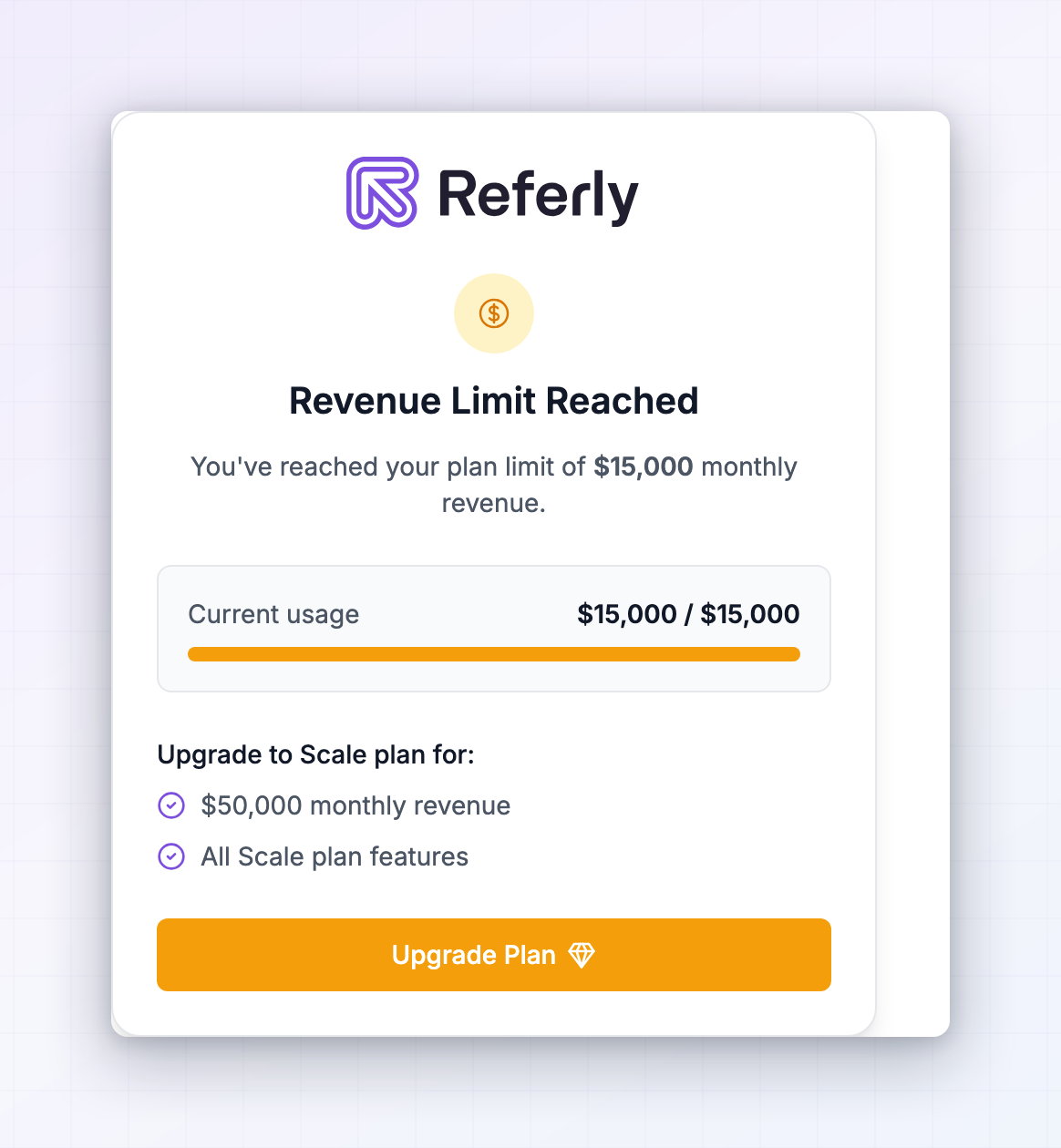
Features that aren't in your plan behave the same way. The button or section stays visible but is locked, and selecting it opens the same prompt naming the plan you'd need. That way you can always see what's available before deciding to pay for it.
## Compare plans before you upgrade
On the **Subscription** screen, select **Change Plan**. The **Choose your plan** panel opens with every plan side by side, your current one marked, and a full feature list under each card.
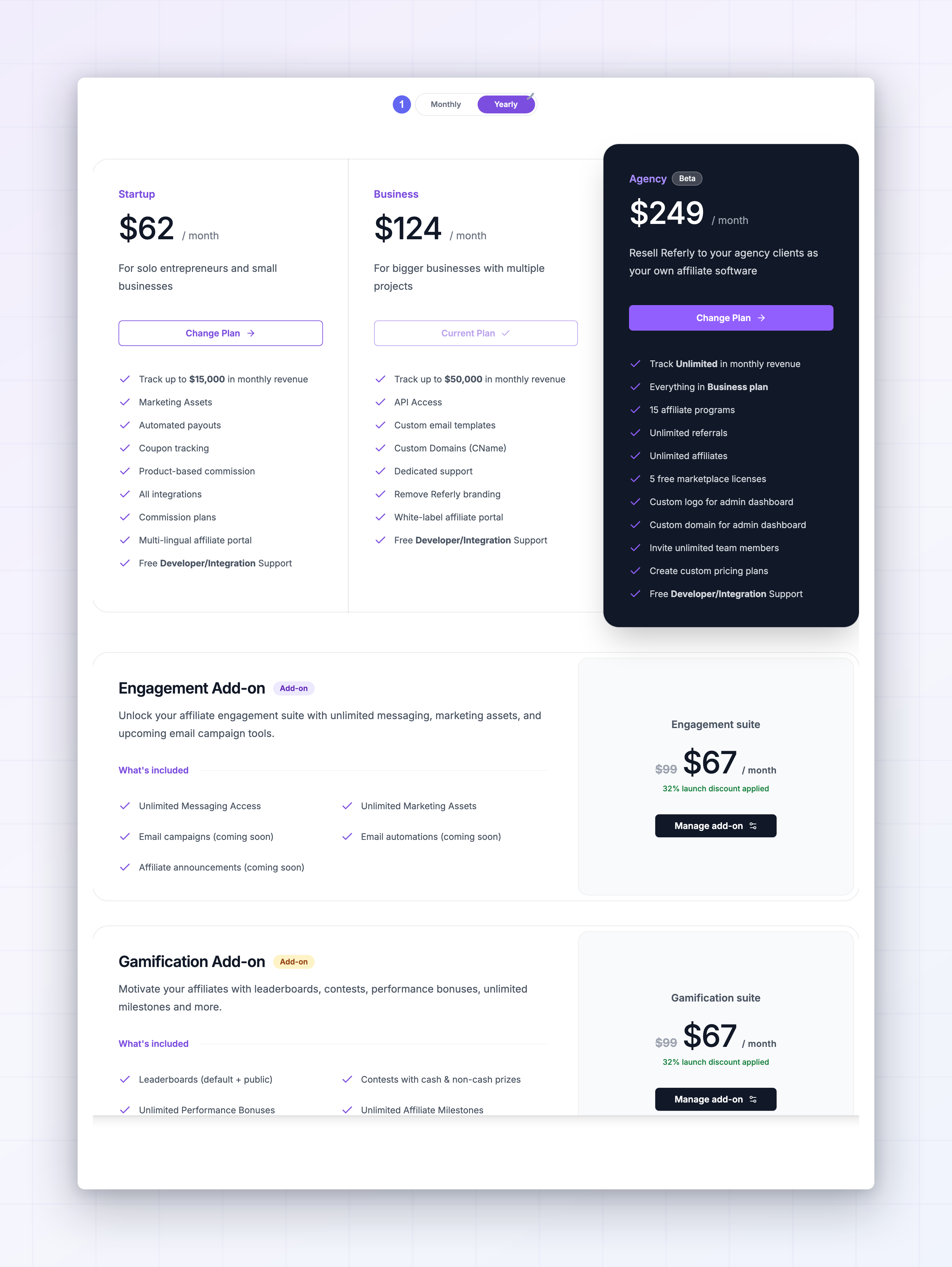
Before you pick, it's worth checking three things:
Whichever bar is closest to full is the limit that will stop you first. Choose the plan that clears it with room to grow.
Coupon tracking and automated payouts start at Startup. API access, custom domains, and removing Referly branding start at Business. Client billing and unlimited seats start at Agency.
If you're committed for the year, yearly costs less each month and adds marketplace trial days.
When you're ready, see [manage your subscription](/docs/help-center/billing/subscription) for how to change plans, and [add-ons](/docs/help-center/billing/add-ons) for the extras you can buy on top of any plan.
## Related
Change plan, switch billing period, or cancel.
Engagement, gamification, and influencer recruiting.
Find and download your Referly receipts.
Which plans can call the Referly API.